IELTS computer Reading test navigation tips are not shortcuts for weak reading. They are practical habits that stop the screen from getting between you and the passage. You still need to understand the text, locate evidence and choose accurate answers, but smooth navigation gives you more time to do those jobs. If you want to establish your current level before changing your test routine, the IELTS Express Pre-Test provides a personalised band prediction and a 14-day improvement plan.
The computer-delivered Reading test places the passage and questions on screen, usually in separate areas. You can move through questions, scroll the text, select answers and use on-screen tools, but every extra click creates a small decision. Under time pressure, those decisions add up. The goal is to develop a simple routine: preview the task, navigate with purpose, mark useful evidence and return to uncertain answers without losing your place.
Know What The Reading Screen Is Asking You To Control
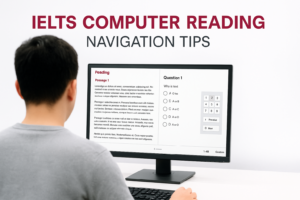
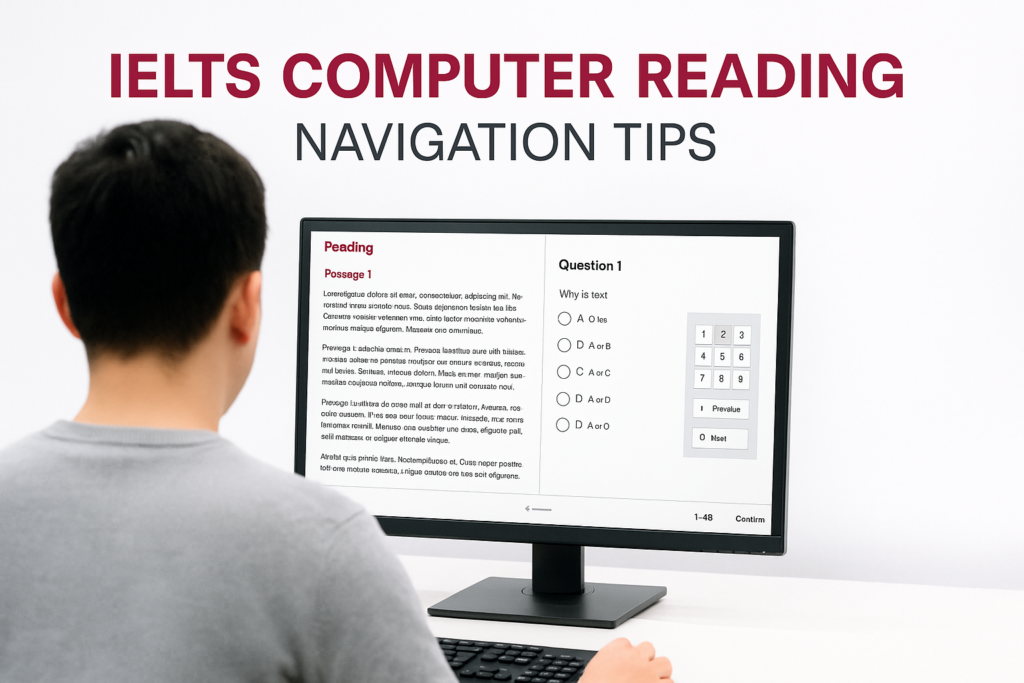
The exact interface can change slightly, so always follow the instructions shown at your test centre. In general, the reading passage appears in one panel and the questions in another. A question navigator lets you move between items, while scroll bars allow you to travel through longer passages and question sets. You may also be able to highlight text or make brief notes.
There are three types of location to manage at once: your current question, your position in the passage and the evidence supporting your answer. Candidates often focus only on the first. They click Question 12, scroll until something looks familiar, choose an option and then lose the evidence when they move on. A better system connects all three locations. Before selecting an answer, know which question you are answering, which paragraph contains the evidence and which words justify the choice.
Computer familiarity helps, but speed with a mouse is not the main skill. Deliberate movement is more valuable than rapid movement. If you have also chosen the computer-delivered Writing test, this guide to the IELTS computer Writing interface explains the related screen habits you can practise before test day.
Use A Thirty-Second Orientation Routine
When a passage opens, resist the urge to start reading every line immediately. Spend about 30 seconds orienting yourself. Check the passage title, notice any subheadings, identify how many questions belong to the section and look at the first question type. This is not a detailed skim. It is a map of the task.
- Check the range: confirm where the current question set begins and ends.
- Read the instructions: note word limits and whether letters, words or numbers are required.
- Identify the task type: decide whether answers are likely to follow passage order.
- Notice passage structure: use headings and paragraph breaks to predict where topics may appear.
This routine prevents avoidable errors, especially when a new question type begins halfway through a passage. It also gives your scrolling a purpose. Instead of moving through a wall of text, you are looking for a section, a sequence or a contrast that relates to the question.
Move Between Questions Without Losing Your Place
Use the question navigator as a map rather than a panic button. Work forward through a set while the answers follow passage order. If one question is taking too long, make your best current choice if the interface allows it, mark the item for review and move to the next question. Staying trapped on one item can cost several easier marks later.
Before leaving a difficult question, record a mental location: for example, “middle of paragraph D, after the example about transport”. That small cue helps you return quickly. If you have highlighted a compact evidence phrase, it can serve as another landmark. Do not highlight whole paragraphs, because large blocks are difficult to distinguish when you come back.
Be especially careful when questions do not follow the order of the passage. Matching headings, matching information and some multiple-choice sets may require movement across several paragraphs. In those tasks, scan for paragraph purpose first, then compare the question with a specific section. Random scrolling usually feels active but produces little evidence.
Scroll In Controlled Steps
Long, fast scrolling is one of the easiest ways to lose context. Move in controlled steps and preserve one or two lines from the previous screen position where possible. That overlap helps your eyes reconnect the sentence or paragraph. If you jump so far that every visible line is new, you must spend time rebuilding context.
Use the scroll bar when you need to move a substantial distance, such as returning to the beginning of a passage. Use smaller wheel, trackpad or key movements when you are tracing an answer through nearby sentences. Practise with the device available to you, but do not depend on a particular shortcut that may not work in the test software.
When the passage and questions scroll independently, check which panel is active before moving. Candidates sometimes intend to advance the passage but send the question panel away from the item they were answering. A brief glance at the pointer or active panel can prevent this. During timed practice, unlimited IELTS mock tests can help you rehearse controlled movement while maintaining reading accuracy.
Highlight Evidence, Not Interesting Language
Highlighting is useful only when it reduces future search time. Mark a short phrase that proves an answer, a name or date that anchors a location, or a contrast word that changes the meaning. Do not highlight sentences merely because they seem important. The tool is for navigation and evidence, not decoration.
A practical limit is one compact highlight for an answer you may need to review. For True, False and Not Given questions, mark the exact claim in the passage, then compare it with the statement. For summary completion, highlight the sentence containing the relevant idea and check grammar before entering the word. For matching information, mark the distinctive detail that connects the question to a paragraph.
Over-highlighting creates visual noise. If half the passage is coloured, nothing stands out. It can also encourage you to reread marked sections instead of evaluating the wording. Your final answer must come from meaning: who did what, under which conditions, and whether the passage agrees with the question.
Use Search Thinking Without Expecting A Search Box
Efficient candidates behave like a search engine even when no text-search feature is available. They extract two or three useful targets from the question: a distinctive noun, a date, a technical term, a person’s role or a strong paraphrase. They then scan for those ideas rather than rereading the entire passage.
Expect paraphrasing. A question may say “a fall in participation” while the passage says “fewer residents took part”. Searching visually for the exact words would fail. Combine one visible anchor, such as a place name, with one meaning target, such as decline or participation. Once you locate a likely section, slow down and read the surrounding sentences carefully.
Do not assume that repeated vocabulary proves an answer. IELTS distractors often reuse words from the question while changing the relationship between them. The correct location is only the beginning. Confirm the subject, action, time and degree before clicking an option or typing a response.
Match Navigation To The Question Type
Different tasks require different movement patterns. Sentence completion and short-answer questions often follow passage order, so work sequentially and let each answer narrow the location of the next. Multiple-choice questions may also follow order, but you need enough surrounding context to distinguish close options.
- Matching headings: focus on the main purpose of each paragraph; move paragraph by paragraph rather than chasing individual words.
- Matching information: scan all paragraphs for the distinctive detail because the questions may not follow order.
- True, False, Not Given: locate the claim, compare meaning precisely and avoid searching indefinitely for evidence that is absent.
- Summary completion: use the summary sequence and grammar to predict the required location and word form.
- Diagram or table completion: inspect labels and layout first, then trace the related process or description in the text.
The interface does not change the logic of these tasks. It simply makes poor movement more expensive. Decide how the task is organised before you scroll. That decision can save more time than any keyboard shortcut.
Protect Time Across All Three Passages
The Reading test lasts 60 minutes, and you do not receive a separate transfer period at the end. A workable starting plan is roughly 17 minutes for Passage 1, 20 minutes for Passage 2 and 23 minutes for Passage 3, including brief checks. Adjust this according to your strengths, but set clear boundaries.
Watch the clock at planned points rather than after every question. Constant checking interrupts concentration. A useful routine is to check after each question set and before moving to the next passage. If you are behind, do not try to recover all the lost time on one difficult item. Move forward, collect accessible marks and return only if time remains.
If Reading is the section you need to improve or retake, the recent IELTS One Skill Retake Reading preparation plan shows how to combine timing, diagnosis and targeted practice over four weeks.
Build A Repeatable Review System
During practice, review navigation errors separately from reading errors. A wrong answer might come from misunderstanding vocabulary, choosing a distractor, losing the relevant paragraph or spending so long scrolling that you guessed. Label the cause accurately. Otherwise, you may study more vocabulary when the real problem is uncontrolled movement.
Keep a short error log with four fields: question type, wrong decision, navigation behaviour and replacement habit. For example: “Matching information; searched exact phrase; jumped between paragraphs; next time scan names and paraphrases first.” Repeat the task a few days later and test whether the new habit reduces time without lowering accuracy.
Practise with realistic screen conditions. Use a desktop or laptop, place passage and questions side by side when possible, and complete full sections without pausing the timer. Phone practice may help with vocabulary, but it does not reproduce the eye movement, scrolling and panel control required on test day.
Test-Day Navigation Checklist
- Read every instruction and word limit before answering.
- Orient yourself to the passage, question range and task type.
- Use compact highlights only for evidence or useful landmarks.
- Scroll in controlled steps and preserve context between screens.
- Confirm meaning after locating keywords or paraphrases.
- Mark difficult items and move on before one question damages the section.
- Check time after question sets and passages, not after every click.
- Leave a final window to revisit marked questions and spelling.
Good computer navigation should become almost invisible. You know where you are, why you are moving and what evidence you need. The skill develops through repeated, deliberate practice rather than frantic clicking. For structured IELTS preparation across Reading and the other sections, visit Career Wise English.
Ready to find out your IELTS band score?
Take the IELTS Express Pre-Test for just $4.99 and get your personalised band prediction with a 14-day improvement plan.
FAQ: IELTS Computer Reading Navigation
Can I use Ctrl+F in the IELTS computer Reading test?
Do not plan around browser search shortcuts. The test software controls the available tools, and familiar browser commands may be disabled. Build the reliable skill of scanning for names, numbers, distinctive terms and paraphrased ideas.
Should I read the passage or the questions first?
Use a brief orientation to understand the passage structure, then inspect the first question set. For ordered tasks, reading the questions first can give you clear search targets. For matching headings, it is often more useful to identify each paragraph’s main purpose before comparing options.
How much should I highlight?
Highlight as little as necessary. A short evidence phrase, a contrast word or a distinctive landmark is usually enough. If you colour large blocks, the marks stop helping you navigate and can distract you during review.
Can I change an answer after moving to another question?
The computer interface generally allows you to return to earlier questions during the Reading test, but follow the controls and instructions shown at your centre. Mark uncertain items for review and revisit them only after protecting time for the remaining questions.
Is computer-delivered IELTS Reading easier than paper Reading?
The test content, timing and scoring standards are designed to be equivalent. Some candidates prefer on-screen navigation and typing, while others prefer marking paper. The better format is the one whose navigation and answer-entry habits you have practised under realistic timing.