
IELTS computer Listening test interface tips are most useful when they become habits rather than a list you read the night before your exam. You need to understand the recording, track the question numbers and enter answers without letting the screen take over your attention. This guide explains a practical way to train those actions together.
Start with the controls, then move to short listening exercises, and finally practise under test conditions. A familiar interface cannot replace vocabulary or listening accuracy, but it can remove avoidable hesitation. If you are choosing a preparation route, Career Wise English brings together IELTS practice and study resources.
1. Learn the screen before testing your listening
In IELTS on computer, Listening questions appear on screen and you enter your responses using the computer. Before you do a scored practice session, spend a separate session discovering how the question area, answer fields and navigation work. The aim is to stop wondering where to click while a speaker is giving important information.
Use the current official familiarisation experience for your test provider. Read the opening instructions instead of clicking through them. Locate the question numbers, find the active answer field and notice how a selected response looks. Try changing an answer and returning to a previous question. Where the practice interface offers review markers or highlighting, test them deliberately rather than assuming they work like another website.
Do not memorise a screenshot from an old blog as though every screen will be identical. Platforms and familiarisation resources can change, and third-party practice pages may use different controls. The transferable skill is understanding the task quickly and confirming that your answer has actually been entered. If a control behaves differently on test day, follow the instructions shown and ask staff about technical problems.
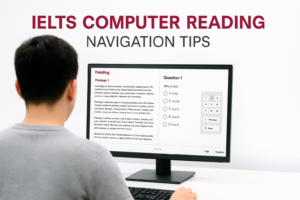
Keep your first session untimed. Write down only the actions that slowed you down, such as selecting a box, scrolling to an instruction or checking an option. Repeat those actions until you can do them calmly. For related screen-reading habits, see these IELTS computer Reading navigation tips, while remembering that Listening has the additional pressure of moving audio.
For repeated timed practice, use unlimited IELTS mock tests to rehearse entering and checking your answers.
2. Preview questions with a clear purpose
Before the relevant recording begins, use the available reading time to identify what each question requires. Start with the instruction line. A word limit is a rule, not a suggestion: an otherwise accurate answer can fail if it contains too many words. Notice whether the task requires words, numbers, selected options or labels.
For a completion task, predict the kind of answer that fits the gap. A space after a price symbol suggests a number; a gap after a preposition may need a place or time; a noun phrase might require a singular or plural ending. Prediction narrows your attention without giving you permission to invent an answer. You still need evidence from the recording.
For multiple choice, compare the options and identify their differences. Three options might share a topic but disagree about the reason, timing or speaker's opinion. Listening only for a repeated keyword can lead you to a distractor. A speaker may mention one option before rejecting it or correcting an earlier statement.
Preview in question order and keep your eyes near the current group. Avoid racing far ahead simply because navigation allows it. The recording continues while you inspect another screen, so unnecessary movement can cost more than it saves. Build a routine: instruction, answer type, option differences, then attention back to the audio.
3. Coordinate typing, clicking and listening
The most important typing skill for Listening is accurate entry of short answers while staying mentally connected to the recording. You do not need to type an essay at high speed. You do need to enter a name, number or phrase without losing the next question because you are watching every key.
Practise with short recordings and an answer form. Hear the answer, enter it in the correct field and immediately reconnect with the speaker. If spelling takes a moment, use a brief permitted pause in the exercise to diagnose the problem afterwards; do not train yourself to stop the recording during a full timed simulation. Test practice and learning practice serve different purposes.
Check which answer box is active before typing. Clicking a neighbouring field accidentally can leave the right answer in the wrong place. After entering a response, glance at the question number rather than repeatedly rereading the whole sentence. That quick check protects your position without turning each answer into a long editing session.
For selection tasks, make sure the intended option is visibly selected. For any drag-and-drop task presented in your familiarisation resource, practise placing an item and then moving it again. The exact interaction depends on the task: do not assume that selecting text, dragging a label and typing an answer are interchangeable.
A useful exercise is to record why each lost mark happened. Separate failures to hear the answer from failures to enter it. If you understood the recording but clicked the wrong option, another vocabulary lesson is not the immediate solution. You need a targeted interface drill.
4. Recover quickly when you miss an answer
One missed answer should not become several. If you are still thinking about question seven while the speaker reaches question nine, your attention is in the wrong place. Train a short recovery routine: recognise the gap, leave it for later if necessary and move to the current question.
Use question wording as a map of the recording. A change of topic, location or speaker can help you re-establish your position. Look for the next clear cue rather than trying to replay the previous sentence in your head. You cannot recover information by staring harder at a blank answer box while new information passes.
If the interface provides a review feature, learn how to use it during familiarisation. Keep it simple: mark uncertainty only when doing so does not distract you from the recording. A review marker is a reminder, not an answer. Before finishing, check that uncertain fields contain your best supported response where appropriate.
Do not keep changing an answer merely because it feels uncomfortable. Ask what evidence you heard. A correction in the recording can justify a change; anxiety alone cannot. Your preparation should include distractors, revised dates and contrasting opinions so that you practise following meaning rather than grabbing the first plausible detail.
When Listening is the skill you need to improve most, the Listening preparation plan for IELTS One Skill Retake offers a focused study structure. Check eligibility separately before making retake arrangements.
5. Check answers and build a realistic practice routine
Use checking opportunities to fix errors that you can actually identify. Prioritise blank fields, word limits, spelling, numbers and singular or plural endings. Read the instruction again when an answer seems unusually long. Do not add extra explanatory words just to make the response sound more natural.
Numbers deserve their own practice. Listen for the distinction between similar endings, write dates consistently within the task instructions and check that you have not reversed digits. With names and addresses, follow spelling information carefully. A clear listening answer can still lose its value if the typed version is inaccurate.
Build your preparation in three stages. First, practise controls without timing pressure. Next, complete a short question group while keeping the audio moving. Finally, complete a full Listening practice test without pausing or replaying. Review afterwards with the transcript or explanations if available, and identify the precise point where your understanding or entry broke down.
Use IELTS Listening practice tests to connect the screen habits with actual listening work. If you want a broader preparation option, compare the course packages against the support and practice you need. Choose based on your weaknesses and available study time, not on an expectation that any interface trick guarantees a band score.
Before test day, confirm arrangements with your provider and use its current guidance. During equipment checks, make sure you can hear the audio comfortably and report a technical problem promptly. Avoid changing settings repeatedly once the test is underway. A stable setup and a simple routine leave more attention for the language itself.
6. Frequently asked questions
Should I practise on a computer even if I already listen well?
Yes. Strong listening ability does not automatically mean you are comfortable entering answers on screen. Do at least one familiarisation session and several exercises combining audio with typed or selected responses. Your goal is to preserve your listening accuracy while using the interface, rather than discovering basic controls during the exam.
Can I treat an untimed familiarisation test as a score prediction?
No. An untimed interface exercise helps you learn the screen, but it does not reproduce every pressure of a timed test. Use it for control practice, then use suitable timed material to assess your current accuracy. Compare results across several sessions rather than treating one easy or difficult exercise as your likely final band.
What should I do if I type an answer in the wrong box?
Correct it when you can do so without missing the next information. Check both the intended field and the field you used accidentally: moving the answer may still leave an incorrect response behind. Practise this recovery in advance so it becomes a short action rather than a panic-driven search across the screen.
Are highlighting and review markers essential?
No. They can help if the current interface offers them and you use them efficiently, but they are not the purpose of the test. Prefer a small number of meaningful cues to covering every option in highlights. If a tool makes you slower, simplify your routine and focus on question order and the recording.
Where should I check the current interface instructions?
Use your provider's official resources and the instructions shown in your familiarisation test. The IDP IELTS Australia familiarisation page explains the role of its untimed practice experience. Confirm test-day arrangements directly with your centre if you need clarification about equipment or support.
The best interface preparation is quiet and repeatable: locate the question, understand the instruction, enter the response and move on. Practise those actions often enough that the computer becomes a tool you use confidently, not another task competing with the recording.